ArchTracks БГ Sign in Register
For architecture and engineering design offices

Every project, deadline and fee – in one place.

ArchTracks is the workspace of a design office: stages and team for every project, who is busy with what, what has been invoiced and paid, quotes and contracts from your own templates. No spreadsheets, no missed deadlines, no “who has the latest file?”.

  • Sign in with Google, Microsoft or an email link
  • Desktop and phone
  • Server in the European Union
  • In English and Bulgarian
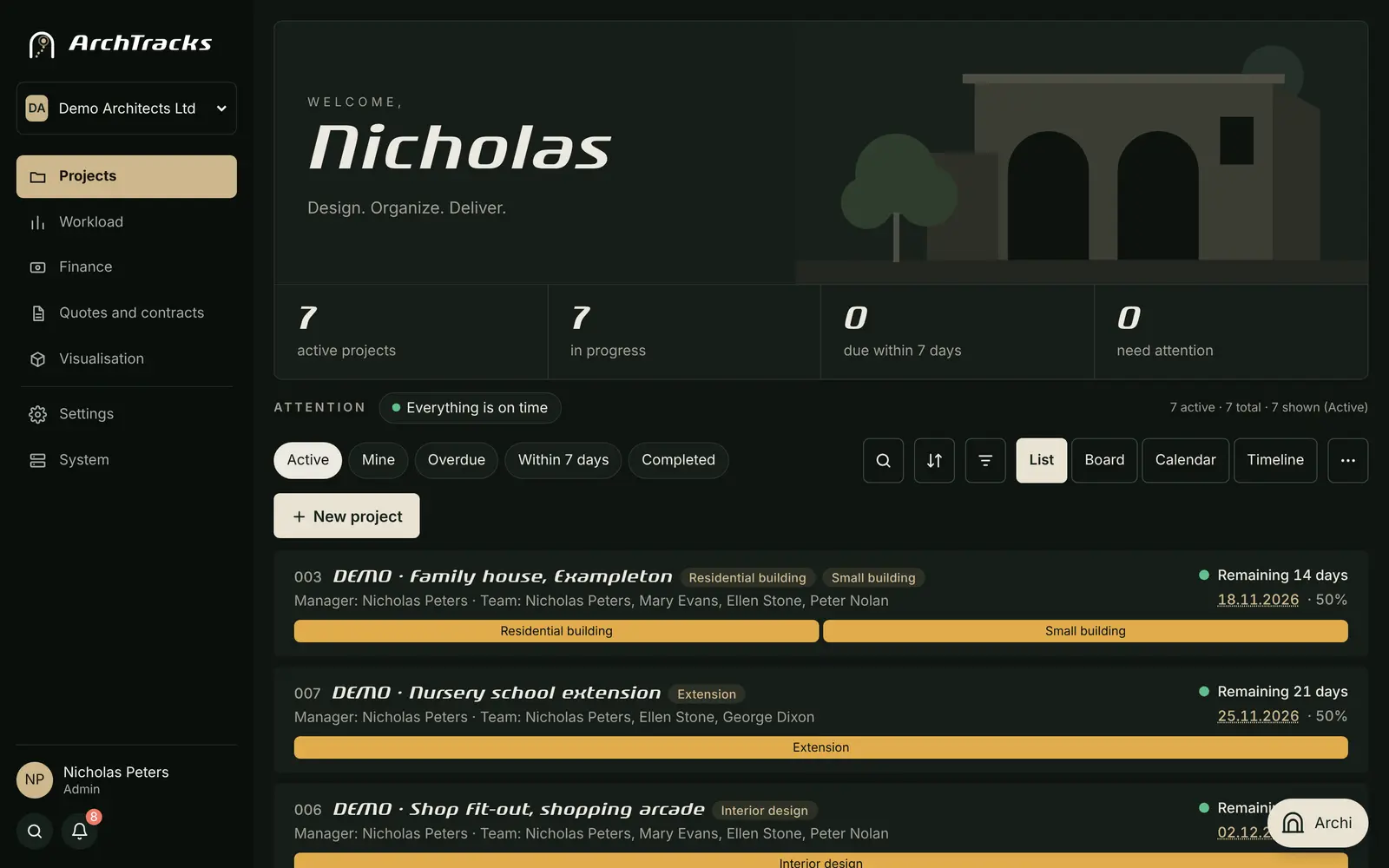
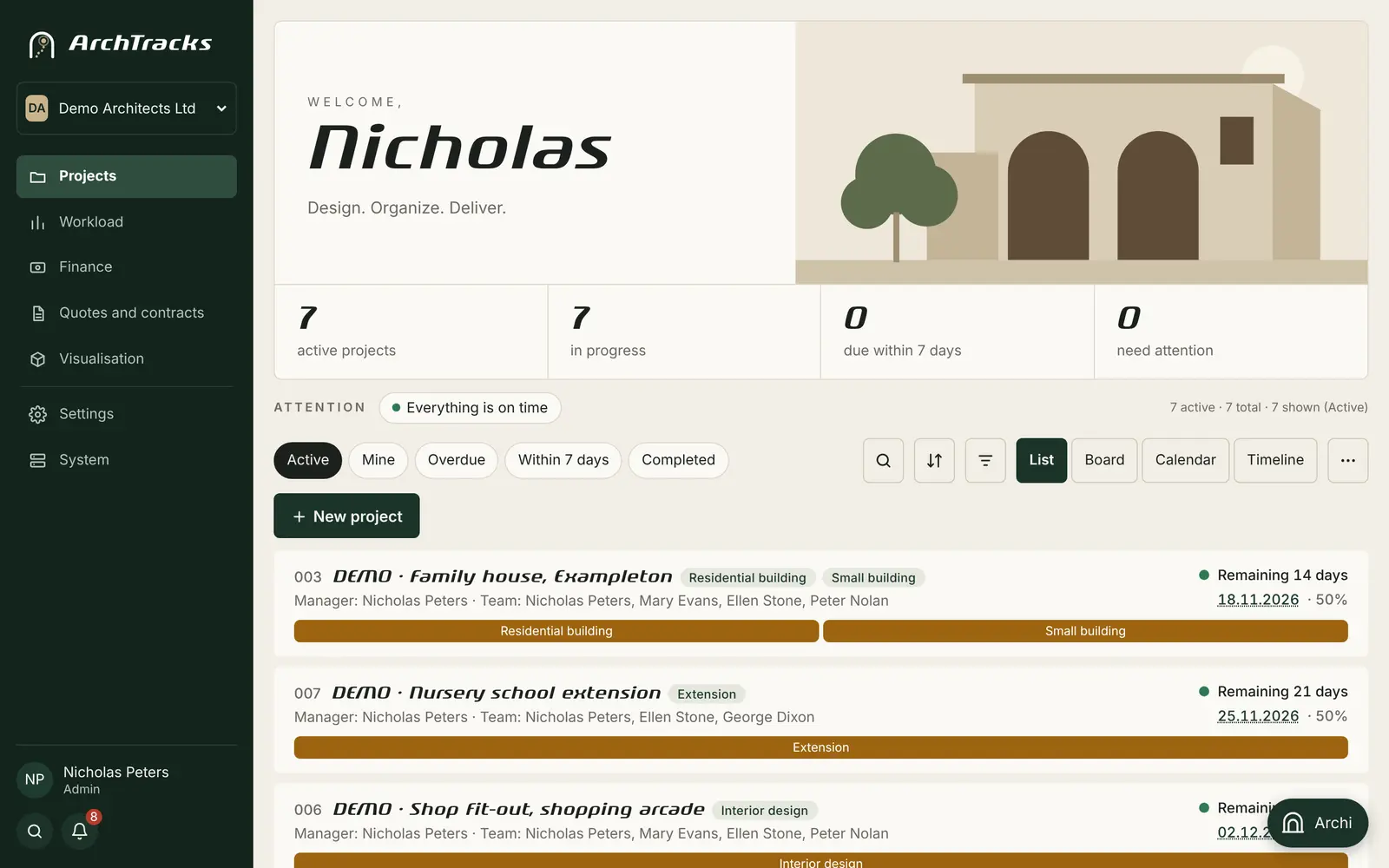
Project list in ArchTracks: number, name, categories, team, days left to the deadline and progress
ArchTracks on a phone

Sound familiar?

The office grows, the work gets scattered

Projects live in one spreadsheet, fees in another, stages in someone’s head and contracts in the inbox. ArchTracks brings it all together and shows what needs attention today.

“Which stage is the house project at? Who is doing the plumbing?”

Every project has categories, stages and a team per discipline. Progress is visible at a glance.

“Did they pay the advance? How much do we owe the structural engineer?”

Fees, invoices, partial payments and what is owed to each consultant – calculated for you.

“Writing a quote from scratch again and hunting for the old contract.”

Quote and contract from your own templates, with the client’s details filled in, in minutes.

Features

Everything a design office needs

Built around the stages, disciplines and documents designers work with every day.

Projects and stages

Ready project types with stages and disciplines – the RIBA Plan of Work for international offices, over 50 Bulgarian types for offices in Bulgaria.

  • List, Board, Calendar and Timeline views
  • Deadlines per stage and per consultant
  • New project from a template in one click

Team and workload

Who works on which projects, how many are unfinished and how many hours they logged – by person and by project.

  • Roles: administrator, office, project lead, member
  • External consultants by invitation or QR code
  • Hours and hour budgets per discipline

Fees and payments

Contract, instalments, invoices and partial payments. See what is overdue and how much is left for the office.

  • What is owed to consultants
  • Profitability and €/hour per project
  • Export and email to your accountant

Quotes and contracts

Prices, instalments and modules from your own templates – English templates included. In Bulgaria the client’s details come from the company register.

  • PDF and Word in one click
  • AI reads site plans, deeds and briefs
  • Project from a quote without retyping
  • Revisions and archive – nothing gets lost

Calendar and reminders

Deadlines go to Google Calendar, iPhone and Outlook. Reminders by email, Telegram and push before every deadline.

  • “Needs attention” – what is urgent today
  • Mention a colleague with @
  • Daily digest for the project lead

Documents and Google Drive

A shared drive with a ready folder structure for every project. AI recognises and renames documents and tells you which are missing.

  • Version register, also from Revit
  • Checklists per discipline and category
  • 3D model and client portal
  • Revit family library

New · autumn 2026

What we added recently

ArchTracks grows with the wishes of the offices that use it. Most of the news is in the Revit add-in and in AI.

AI render and video

From a sketch, plan, photo or Revit view – a photorealistic visualisation in seconds. Then a video for the client.

  • 12 tools: interior, exterior, plan, sketch, style, upscale to 4K
  • “Edit” and “Mark area” – change only where you want
  • A series of cameras with the same materials
  • Video from the render – 4 to 10 seconds

Documents straight from Revit

The Revit add-in produces the documents you would otherwise write by hand and puts them in the project’s Documents.

  • Door and window schedule in PDF, curtain walls included
  • Drawing transmittal with revisions
  • In Bulgaria also: bill of quantities, explanatory report written by AI and zoning figures

Drawing check

Before issue: rules on the model and AI that looks at every sheet against the template for its type.

  • Missing dimensions, levels, labels, legends and title block
  • Results on the site and as a schedule in Revit
  • Ticks go to the project’s Check tab

Publishing and PDF markups

Revit sheets become a PDF set with a transmittal and revision on the project drive – ready for the client.

  • Markups on the drawings by the team and by the client
  • The client accepts the quote or contract in the portal
  • Contract amendment in one click

Revit files by discipline

A “Project” panel in Revit: pick the project once and open files from its drive. Everyone sees only their own folder.

  • Names by rule: No-DISCIPLINE-name-revXX
  • “Save” and “New revision” with a short summary by Archi
  • A “Revisions” tab – all disciplines, automatically
  • Open straight from Google Drive for desktop

Archi in Revit too

Ask Archi in Revit about the model: which rooms have no area, which doors have no number – and let it fix them.

  • Model changes at once or after confirmation – your choice
  • On the site – attach files and photos in the chat
  • Knows the new features and explains them according to your rights

Details and office standards

The office’s details in one place – insert them into Revit in one click. Standards are checked automatically.

  • Drafting views from your projects, with preview and search
  • Naming rules for sheets, views, families and levels
  • “Check the model” lists the violations – nothing is changed

Tidy documents

A Documents tab in three groups: quotes and contracts, input data, design documentation.

  • A scanned PDF with several documents splits itself
  • AI recognises and renames each one
  • Settings in 5 clear groups, a “More” menu on the phone

Start for free

Up to 3 projects with no subscription and no card. When the office grows – a plan with AI credits.

  • “Office” plan for up to 3 architects and 5 more members
  • Enterprise 5, 10 and 25 for larger offices – up to 70 members
  • Credits are shared between people – you see what is left
  • Pay by card or bank transfer

Revit family library

All .rfa files from your Google Drive – with thumbnail, category, types and parameters, without opening Revit.

  • Search and a category tree
  • Revit add-in: find and load a family in one click
  • “Upload to the library” straight from Revit, updates itself

Quote and contract from the project

Buttons in the project’s Documents. The client, area, fees and team are filled in from what you already entered.

  • In Bulgaria also: a design supervision contract with the designers per discipline
  • Editing = a new revision rev01, rev02…, the old one stays
  • Nothing is deleted – what you no longer need goes to the archive

Google Drive under control

The site compares who should have access to each drive with who actually has it – and shows the differences.

  • Missing access is added automatically
  • Extra access is removed only after you confirm
  • Shared drives for all architects; a deleted project stops sharing
  • A backup Google account when the drive fills up

See all features of the site and the Revit add-in →

Short demo

See what a working day looks like

Real ArchTracks screens with made-up demo projects. They play by themselves – or pick a section.

Demo screen: Projects

All projects with categories, team, days left and progress. The colour shows what is coming up.

Archi – AI assistant

Ask Archi. About the site, your projects and your models.

Archi knows your projects and their deadlines, prepares a new project or one from a quote, and explains any feature of the site. For offices in Bulgaria it also answers on the building regulations, quoting article and paragraph. Nothing is created without your confirmation.

  • “Which projects are due by Friday?”
  • “Create a project for a house in Bath, due end of March.”
  • In Revit: “Which rooms have no area?” – and it fixes them
Archi example
Which projects are due within 7 days?
Nothing is due within 7 days. The closest is 003 Family house, Sampleton – in 14 days, Technical Design is done.
Create a new project “Peters House, Bath”, residential building, due 31 March.
Here is the proposal:
New project proposal
Peters House, Bath · Residential building · due 31.03.2027 · lead Nick Peters
Create projectCancel

Who it is for

For the whole team – from the studio to the external consultant

One organisation brings together staff and external designers. Everyone sees only their own work, the lead sees everything.

Architecture studio

Projects, team per discipline, consultant fees, quotes and contracts, the office’s finances.

Register a company

Consultant designer

Structural, plumbing, electrical, HVAC, fire safety, energy – your stages and deadlines from every office you work with.

Register as a designer

Engineering and supervision firms

Surveys, site supervision, building control and assessments – with their own stages and documents.

Register a company

Only want AI visualisations – from a photo, a sketch or a model, without projects or a team? Sign up for rendering only

Getting started

Ready to work in minutes

Sign in

With Google, Microsoft or an email link – no new password. Choose “Company” or “Designer” and fill in a few details.

Add your projects

By hand, from a template, from a quote or with Archi. Want to look around first? Add demo projects in one click.

Invite the team

By email invitation or QR code. Connect Google Drive and the calendar when you are ready.

Security

Your data stays yours

Secure sign-in and 2FA

Google, Microsoft or a one-time email link – no passwords to leak. Optional authenticator-app code for two-factor sign-in.

Role-based rights

Only the people you allow can see fees. Every change goes into the history.

Server in the EU

HTTPS, encrypted keys and daily backups. GDPR-ready, with a data processing agreement.

No selling of data

We do not sell data. Advertising cookies only if you accept them – otherwise nothing is loaded.

Questions

Frequently asked questions

Do I need to install anything?

No. ArchTracks runs in the browser on desktop, tablet and phone. If you like, add it to your phone’s home screen – it opens like an app, without the App Store or Google Play.

How do I sign in and what does Google see?

Sign in with a Google or Microsoft account, or with a one-time link sent to your email – we only receive your name and email. Google Drive and Gmail are connected separately and only if the office administrator wants to. Details in the Privacy Policy (in Bulgarian).

Can I try it before entering my real projects?

Yes. After registering, add demo projects from Settings → Organisation. They are marked “DEMO” and removed with one button.

We work with external consultants. How do I add them?

Invite them by email or QR code. Each one sees only the projects they are on and their own stages and deadlines – and fees only if you allow it.

Can I use my own quote and contract templates?

Yes. Quotes and contracts are built from modular templates – a core plus modules per category. English templates are included; write to us and we will add yours.

Does it work with Revit?

Yes. The add-in for Revit 2021–2026 installs without administrator rights, updates itself and follows your account language. With it you open project files from Google Drive by discipline and save revisions, produce the door and window schedule, check drawings, publish sheets to PDF, render with AI and ask Archi about the model. The Revit family library and the office’s details are one click away.

What does the AI do, and do I need a key?

AI recognises project documents, reads contracts and input data, checks drawings, renders and makes videos, and answers in Archi. The key is on the ArchTracks server – you set up nothing. Each use costs credits by the real cost (usually 1–10, a render 10–45), and “Subscription and credits” shows the price list and how many you have left.

How much does it cost?

Without a subscription an office has up to 3 projects, and every person up to 3 personal projects. Company plans start with “Office” (€69 per month, up to 3 architects and 5 more members) and include AI credits. Current prices and plans are in “Subscription and credits” after you sign in.

I have several companies. Can I use one account?

Yes. One person can be in several organisations and switch between them from the top bar. There are also “Personal projects” outside the organisations.

What happens to my data if I stop?

Lists and accounting data download as CSV (opens in Excel), and you delete your account yourself from “My profile”. To delete a whole organisation, write to us.
Get your office in order this week

Registering takes a minute. The first projects – about as long.

Want a walkthrough?

Write to us – we will show you around ArchTracks with your own projects and answer your questions.

balezdrov@gmail.com

Already have an account?

Sign in the same way as before. You enter an invitation or organisation code after signing in.

Sign in
Sign inRegister